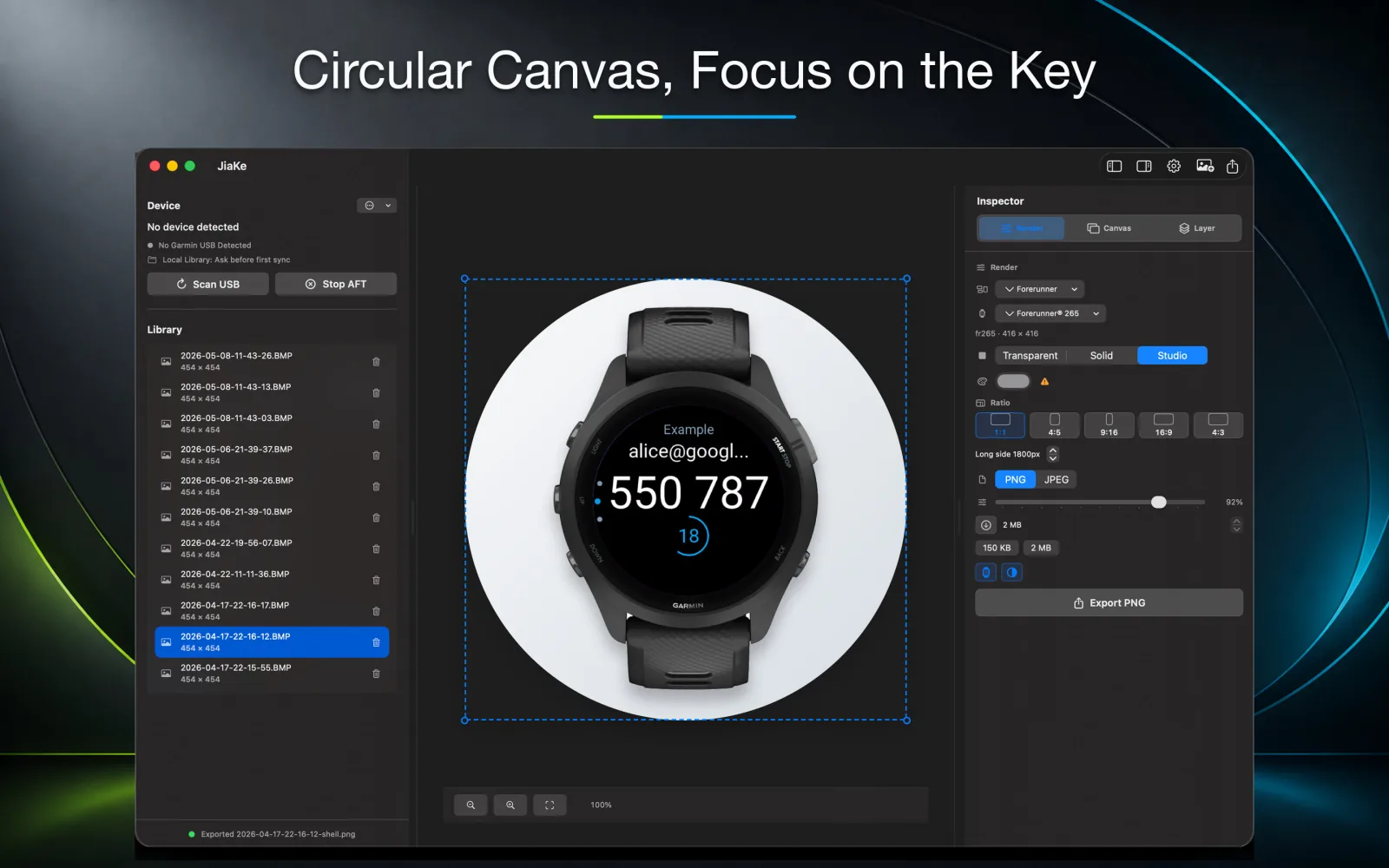
A Garmin watch face screenshot can show the design, but it often feels disconnected when it appears alone in a launch post.
A framed mockup gives the watch face an immediate device context. People can recognize that the design belongs on a wearable screen instead of reading it as a floating UI crop.
For launch posts, the goal is not heavy decoration. The goal is to make the real watch face understandable, readable, and easy to reuse across channels.
Use a real watch face screenshot
Start with a real Garmin screenshot when possible. A captured screen preserves the exact type rendering, icon placement, spacing, and color contrast that users will see on the watch.
A recreated screen may look cleaner, but it can hide small details that matter when someone decides whether to install the watch face.
How to add photo to Garmin watch face
If your goal is to put a personal photo on the watch itself, use Garmin's watch-face tools rather than a screenshot mockup workflow. Garmin's Face It feature in Connect IQ is designed for creating custom watch faces from your own photos, adding data fields, and sending the result to a compatible smartwatch.
That is different from JiaKe.app. JiaKe does not install a photo as your active Garmin watch face. It helps after you have a real watch face screenshot and want to turn that screen into a framed image for a launch post, website, documentation page, or Connect IQ Store promotion.
- Use Garmin Face It or compatible Connect IQ watch-face tools when the photo should appear on the watch.
- Use JiaKe.app when the watch face already exists and you need a polished screenshot mockup.
- Keep Garmin photos, watch-face images, and screenshot BMP files as separate source assets.
If someone asks "Can I use a photo as a Garmin watch face?", the answer is yes for compatible watches through Garmin's photo watch-face workflow. If someone asks how to make that watch face look good in a launch image, the answer is to capture the finished watch screen and frame the screenshot for publishing.
Choose the frame shape carefully
Most watch face mockups depend on shape accuracy. A round watch face should sit in a round frame. A square or rectangular screen should keep its own proportions.
The frame should make the screenshot feel grounded without covering important complications, time display, or data areas.
- Keep the screen large enough for thumbnail previews.
- Use a quiet background if the watch face is visually dense.
- Avoid frame styles that compete with the interface.
- Export a separate social version when the launch channel needs a different crop.
Prepare several launch post variants
A launch usually needs more than one image. You may want a square post, a vertical story, a website image, and a clean product-page asset.
Using one consistent mockup system makes those variants feel connected instead of assembled from different design files.
Create the mockup in JiaKe
JiaKe lets you select the watch face screenshot, place it into a watch frame, choose a preset style, preview the result, and export a PNG.
That removes the repeated manual work of finding frames, creating masks, dragging layers into place, and exporting each launch image from scratch.
FAQ
Why should I frame a Garmin watch face screenshot?
A frame gives the watch face device context and makes it easier for viewers to understand the design as a real wearable screen.
Can I use the same mockup for social posts and listings?
Yes, but prepare size variants. The same framed screenshot can often be exported as square, vertical, website, and listing assets.
Does JiaKe work for round watch faces?
Yes. JiaKe supports framed Garmin screenshot exports for watch faces, including round layouts.
How do I add a photo to a Garmin watch face?
Use Garmin's Face It feature or a compatible Connect IQ watch-face tool to create a photo-based watch face and sync it to the watch. JiaKe is for making framed launch images from screenshots, not for installing the photo on the watch.
Can I use a photo as a Garmin watch face?
Yes, on compatible Garmin watches you can use Garmin's photo watch-face tools to create a watch face from a photo. JiaKe.app is separate: it helps turn the finished watch face screenshot into a framed launch image.
Are Garmin photos the same as watch face screenshots?
No. Garmin photos can be source images for a photo watch face, while a watch face screenshot is a captured image of the finished watch screen.